
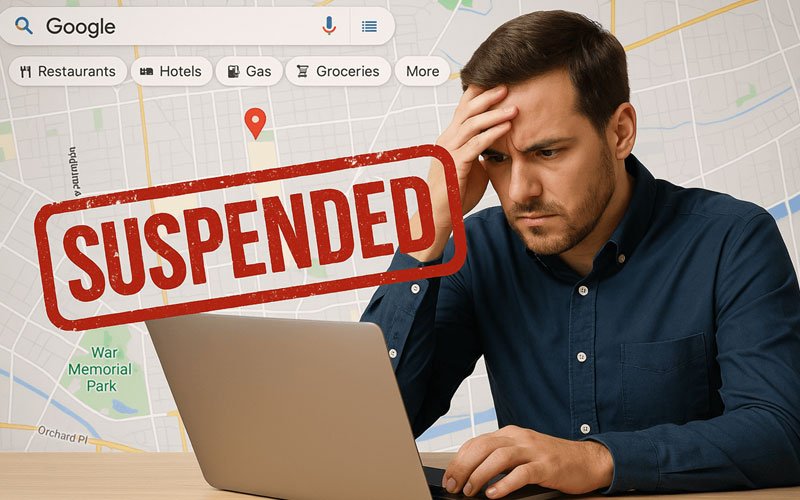
Last week, your Google Business Profile was bringing in customers. This week, you opened your phone and saw the dreaded “Your Business Profile has been suspended” email. Calls have dropped to zero. Your competitors are getting all your traffic. And Google’s appeal form looks like it was written to confuse you.
Here’s the truth most agencies won’t tell you: getting reinstated is straightforward — if you understand why it happened and file the right kind of appeal. Most reinstatements happen in 7-21 days. Some come back in 48 hours. Almost none are permanent, even when Google says they are.
This guide covers everything: why GMB suspensions happen, the 8 most common triggers, how to file an appeal that actually works, and what to do when Google rejects you the first time.
What “suspended” actually means
When Google suspends your Business Profile, they’re saying: “We don’t believe this business is what you say it is.” That’s it. The system isn’t punishing you for being a bad business — it’s flagging your profile as untrustworthy.
There are two suspension types:
- Soft suspension: Your profile is still visible to you in Google Business Profile dashboard, but it’s hidden from search and Maps. Easier to recover.
- Hard suspension: Your profile is gone entirely — not just from search, but from your dashboard too. Harder to recover but still possible.
Either way, the path forward is the same: identify the trigger, gather evidence, file an appeal.
The 8 most common reasons GMB profiles get suspended
Over six years of handling reinstatements, we’ve seen the same triggers come up again and again. If your profile got suspended, it’s almost certainly one of these:
1. Business name keyword stuffing
You named your business “ABC Roofing – Best Brooklyn Roofers – Free Estimates” instead of just “ABC Roofing.” Google considers anything beyond your legal business name to be keyword stuffing, and it’s the #1 cause of suspensions in 2026.
This catches people off guard because the practice was common 5 years ago. Now it’s an instant flag.
2. Virtual office or PO Box address
Regus, WeWork, Mailbox Etc. — Google can detect virtual office addresses and they’re against the guidelines. Same with PO Boxes. Your address must be a real, staffed location where you meet customers.
The exception: service-area businesses (plumbers, contractors, etc.) who serve customers at their homes. These businesses should hide their address and list service areas instead.
3. Address mismatch across the web
Your website says 123 Main St. Your Yelp listing says 125 Main St. Your BBB profile says Suite 5. Google sees these inconsistencies and flags your profile as untrustworthy. This is called NAP inconsistency (Name, Address, Phone) and it’s a major suspension trigger.
4. Multiple listings for the same business
A previous employee created a duplicate listing. You opened a second location and accidentally created two profiles. Either way, Google’s algorithm assumes one is fake.
5. Recent address change without verification
You moved offices and updated your GMB address. Google now wants to re-verify the location, often through a postcard or video. If you skip that verification, suspension follows.
6. Operating in a banned or restricted category
Locksmiths, garage door repair, towing companies, addiction treatment centers, and a few other categories face stricter verification rules. Suspension rates in these categories are much higher.
7. Service area too large
You set your service area to “Entire United States” or “All of California.” Google considers this spammy and suspends. Service areas should be 2 hours of driving from your physical location, max.
8. Reported by a competitor
Sometimes competitors mass-report businesses to trigger suspensions. Google’s automated system errs on the side of suspending first and asking questions later. If you’ve recently surged in rankings, you may have been targeted.
What to do in the first 24 hours after suspension
Speed matters. Every day suspended is calls lost to competitors. Here’s what to do immediately:
Step 1: Don’t panic and don’t make rapid changes
This is the most important rule. Most business owners, the moment they see the suspension, start frantically editing their profile — changing the name, the address, the categories, anything they think might fix it. This makes everything worse. Google flags accounts with rapid changes as suspicious.
Take a breath. Document everything. Then move methodically.
Step 2: Take screenshots of your suspended profile
If you can still see your profile in the GMB dashboard, screenshot everything: business name, address, phone, categories, hours, photos, posts. You’ll need these for the appeal.
Step 3: Don’t open multiple support tickets
Filing the same appeal three times because the first one wasn’t answered yet is a common mistake. Each new ticket pushes you to the back of the queue. File one appeal, then wait.
Step 4: Gather evidence before filing
The appeal form asks you to prove your business is real. The evidence Google wants:
- Business registration certificate (LLC formation, DBA filing, etc.)
- Recent utility bill at your business address (within 90 days)
- Recent lease agreement or property deed
- Photos of your business signage from the outside
- Photos of your business interior with signage visible
- Photos of your staff at work, with branded uniforms or vehicles if applicable
- Business license (if your industry requires one)
- Insurance certificate (helpful for trades)
Have all of this ready before you open the appeal form. The form has a 7-day timer once submitted, and if Google asks for more documents and you can’t provide them, the appeal fails.
How to file the appeal (the actually-works version)
This is where most appeals go wrong. The standard appeal form looks simple, but the wording you use makes a massive difference. Here’s what works:
Use the right appeal form
The official path: support.google.com/business → Contact Us → Profile Suspended. Don’t use the generic “Report a Problem” form — that goes to a different queue with lower priority.
Write a structured appeal
Your appeal should follow this structure:
- State your business name exactly as it appears in your legal documents (not as it was on the GMB before suspension if those don’t match)
- Acknowledge the suspension without arguing whether it was fair
- Explain what was actually correct about your profile, with evidence
- Identify and fix any actual violations proactively (if there were any)
- List the documents you’re attaching
- Request reinstatement politely
Do not:
- Argue with Google’s decision
- Mention competitors or suggest you were maliciously reported (even if you suspect it)
- Threaten legal action or write angrily
- Submit before you have all your documents ready
Attach the right documents in the right format
PDF is best. JPG/PNG is fine for photos. Keep file names descriptive: ABCRoofing_BusinessRegistration_2024.pdf, not scan1.pdf.
What happens after you submit
You’ll see an automated email confirming the appeal was received. Then comes the wait. Realistic timeline:
- 48 hours: Possible automatic reinstatement (rare, but happens for clear-cut cases)
- 7-14 days: Most appeals get a human review by this point
- 14-21 days: Standard reinstatement window for most cases
- 21+ days: Google may ask for additional verification (usually a video tour of your premises)
Don’t follow up before day 7. Don’t file a new appeal. Just wait.
What to do if Google rejects your appeal
First-time rejections happen. Don’t give up. Here’s what to do:
Read the rejection carefully
Google’s rejection email is usually generic, but it sometimes contains a specific reason. “We need additional verification” means video tour. “We could not verify your business” usually means address proof issues. “Your profile violates our guidelines” means there’s a specific violation you need to identify and fix.
Wait 7 days before re-appealing
If you re-appeal immediately, you’re talking to the same algorithm. Wait a week. File a new appeal with stronger evidence and a different framing.
Try the video verification option
If Google asks for a video, do it carefully. Show your physical business signage from the street. Walk inside showing your branded materials. Show employees at work (with their permission). Don’t edit the video — Google wants raw footage as proof.
Consider professional help
If you’ve appealed twice and been rejected both times, the case usually needs someone who’s done this before. Reinstatement specialists know which arguments work and which trigger automated rejection.
How to prevent future suspensions
Once you’re reinstated, lock down your profile so this doesn’t happen again:
- Use your exact legal business name — no keywords, no descriptors, no city names appended
- Verify your service area is reasonable — 2 hours of driving max
- Ensure NAP consistency across your website, Yelp, BBB, Houzz, and the top 20 directories in your industry
- Don’t make rapid edits — change one field at a time, wait a week, change the next
- Add multiple owners to your GMB so you don’t lose access if your main account gets banned
- Keep your registration documents in a folder so you can re-submit them quickly if needed
- Take quarterly screenshots of your profile so you have a history if disputes arise
The honest cost-benefit of doing this yourself
If your business is small and the suspension is straightforward (keyword stuffing, simple address issue), you can probably handle the appeal yourself with this guide. Total time: 4-8 hours, including document gathering.
If your suspension is complex — multiple violations, prior failed appeals, banned-category business, or you’ve been reported by a competitor — the success rate drops dramatically for solo appeals. Most reinstatement specialists charge $300-800 for these cases. The break-even math: if your business does even one job per week through GMB ($500-2,000 in revenue), getting back online a week faster pays for the help.
Frequently asked questions
Will my reviews come back when I’m reinstated?
Yes. All historical reviews are preserved during suspension and return immediately upon reinstatement. Same for photos, posts, and Q&A.
Should I create a new GMB profile while waiting?
No. Creating a duplicate profile is a guideline violation and will get the new profile suspended too — plus it complicates your existing appeal. Wait it out.
Will my Google rankings recover after reinstatement?
Usually yes, but not always immediately. Rankings often dip slightly for 2-4 weeks post-reinstatement as Google “re-trusts” your profile. Full ranking recovery typically happens within 6-8 weeks.
Can my business be suspended again after reinstatement?
Yes. Reinstated profiles are watched more closely for the next 6-12 months. Make sure all the original triggers are fixed before celebrating.
What if Google says my appeal was rejected permanently?
“Permanent” rejections aren’t truly permanent in most cases. After 90 days, you can file a new appeal with a different framing. Some businesses we’ve worked with have been reinstated 6+ months after a “permanent” rejection.
The bottom line
GMB suspensions feel catastrophic in the moment, but the vast majority are recoverable. The keys are: don’t panic, don’t make rapid changes, gather strong evidence, file one carefully-worded appeal, and wait patiently.
If you’d rather not figure this out yourself while your phone stays silent, our GMB Reinstatement service handles the entire process for a fixed $497 — including the appeals, document prep, video verification if needed, and follow-up until you’re back online.
Or if you want to know how vulnerable your current profile is before something goes wrong, request a free audit. We’ll identify your suspension risk factors and tell you how to fix them.
Either way, you’re not stuck. There’s a path back.